Android Capture App v3.3 Overview
Explore the new features and improvements in version 3.3 of the DHIS2 Android Capture mobile app


Explore the new features and improvements in version 3.3 of the DHIS2 Android Capture mobile app
Here are some of the highlights included in Android Capture v3.3:
This version is fully compatible with DHIS2 version 42 and below.
Deprecation notice: Support for Android 5.0 (API 21) and 5.1 (API 22) will end starting with version 3.4.0, while 3.3.x patch releases will continue to support these versions and receive critical security fixes if needed.
Browse the full list of new features below. You can also read the release announcement on the DHIS2 Community of Practice for more details and share comments and questions with us.
Version 3.3 brings powerful new capabilities that strengthen interoperability and align the Android Capture App with web-based workflows. This release expands integration options through Custom Intents and enhances data synchronization by supporting working lists defined in the Capture web app. These additions give implementers greater flexibility, enable smoother cross-app workflows, and ensure functional parity across DHIS2 platforms.
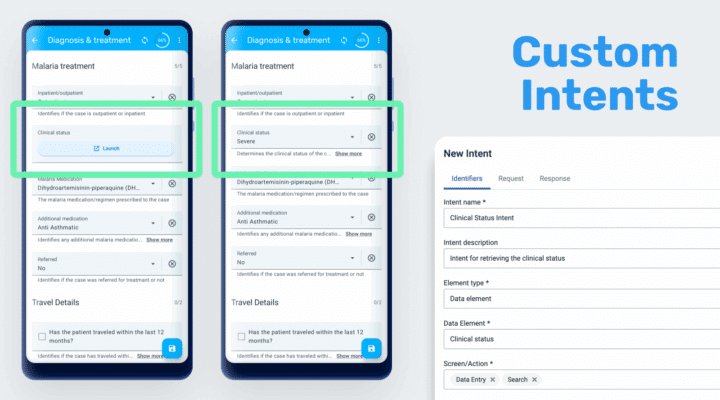
Version 3.3 introduces custom intents, a new feature that enables integration between the DHIS2 Android Capture App and third-party Android applications. Through configuration in the Android Settings Web App, administrators can define how the Capture App launches external apps, sends data to them, and receives results automatically. It can be configured per tracked entity attribute or data element and support both data entry (tracker and event programs) and search workflows.
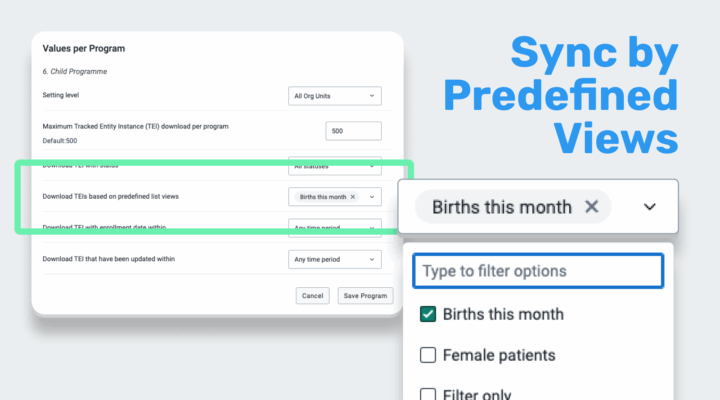
Synchronization can now be configured based on working lists defined in the Capture web app and managed through the Android Settings Web App (ASWA). Based on user sharing settings, the app will download data from the assigned working list or merge multiple lists when more than one is available.
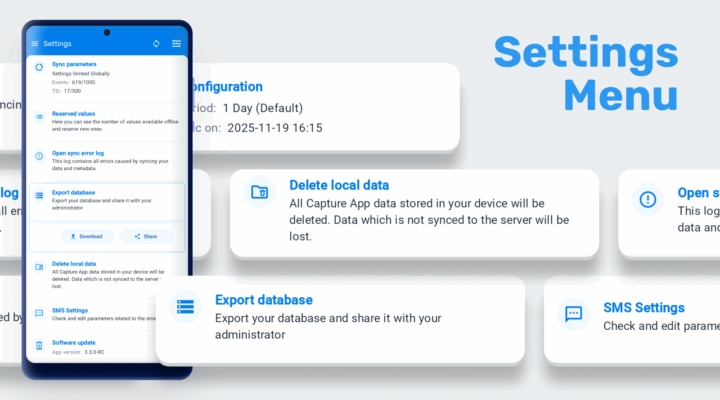
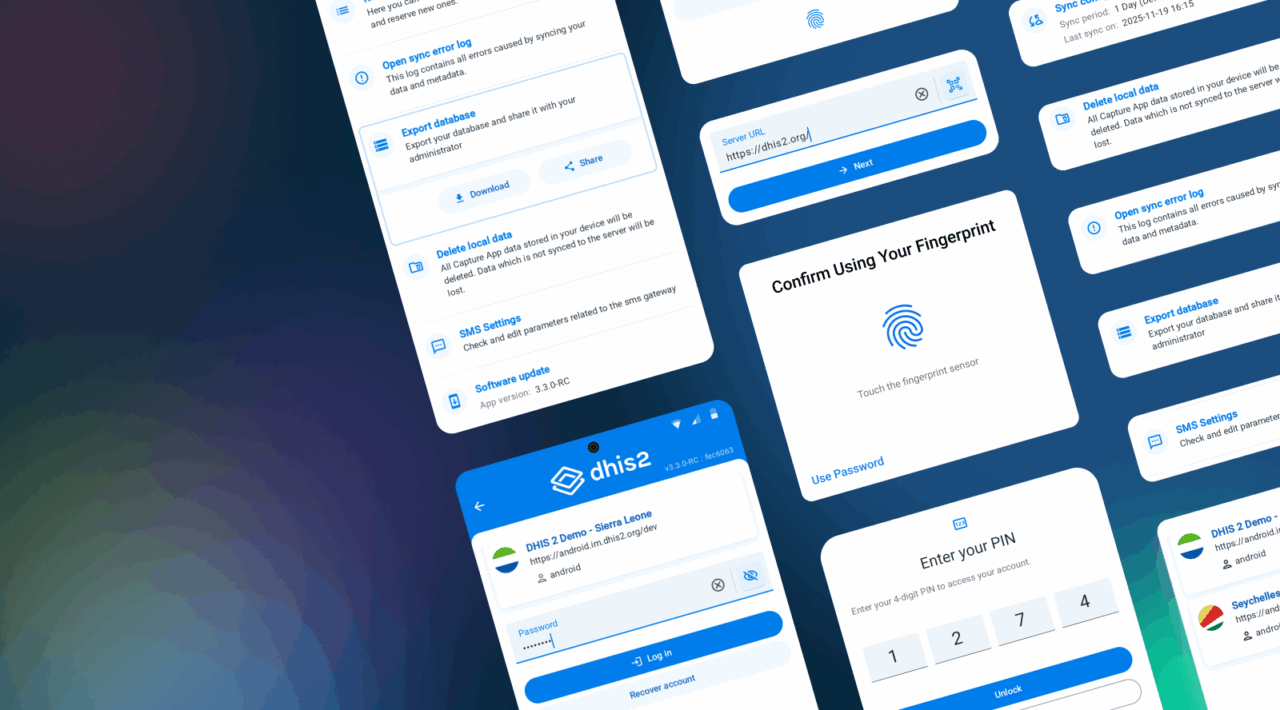
This release continues the modernization of the Android Capture App’s interface, focusing on clearer navigation, improved ergonomics, and a more consistent visual language. Key screens—including Login and Settings—have been redesigned for better usability and future security enhancements, while an edge-to-edge layout review delivers a more polished, responsive experience across devices, orientations, and form factors.
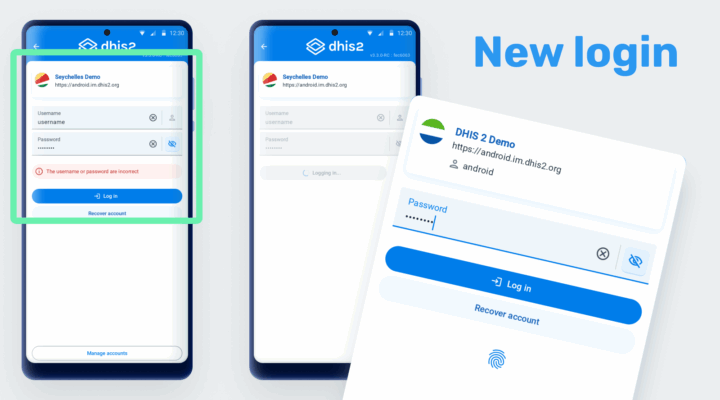
The login experience has been redesigned with a modern interface and improved usability. Beyond visual updates, this redesign refactors the authentication architecture to support OAuth-based two-factor authentication (2FA), ensuring the app is ready for upcoming security improvements in future releases.
Users will notice a cleaner layout and faster access to frequently used servers.
As part of this redesign, the PIN verification screen (shown when reopening the app) has also been updated with the new visual style, ensuring a consistent and modern experience across the entire authentication flow.
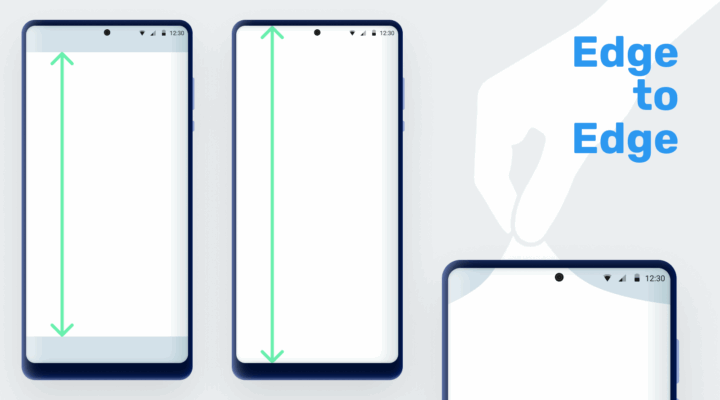
The update refines margins, padding, and component layouts to make full use of available screen space, especially on newer Android devices. Improvements are particularly noticeable in the TEI list, event list, and data-entry forms.
This review also enhances the experience on tablets and in landscape orientation, ensuring responsive layouts and alignment across all components.
Version 3.3 introduces significant architectural upgrades that improve app stability, efficiency, and long-term maintainability. The migration of the database layer to Kotlin Multiplatform Mobile (KMM) strengthens the technical foundation for future innovation, while R8-based optimization reduces APK size to improve installation times and performance—especially in low-resource environments.
While invisible to end users, this migration significantly improves maintainability, consistency, and performance of the app’s data layer. It also paves the way for potential future multi-platform clients that can share core logic with Android.
Through advanced code shrinking and resource optimization, the app’s footprint has been reduced without compromising features or stability. This change is particularly beneficial for deployments in low-bandwidth environments or with limited device storage.
You can find the list of bugs fixed here.
Click on the links in the table below for more information about this software release and to access an interactive demo. You can also add comments or ask questions about this release on the DHIS2 Community of Practice.
| To find more details about... | Follow this link |
|---|---|
| Download app from Google Play or Github | Google Play Github |
| Documentation | Documentation |
| Full list of features and bugs | Android 3.3.0 |
| Demo instance (user / password) | Demos (android / Android123) |
| DHIS2 community | DHIS2 Community of Practice |
| App Source code on Github | DHIS2 Android source code |
| SDK Source Code on Github | Android SDK source code |