The DHIS2 Annual Conference takes place from 15-18 June 2026! Learn more
Android Capture App V2.6 Overview
DHIS2 Android Capture App version 2.6 is out with many improvements and bug fixes. On this page you can find information on this software version, including feature descriptions, links to technical documentation, and more
Jump to a section on this page
Feature Demo Videos
Discover some highlights of new features in this DHIS2 release with feature demonstrations by DHIS2 experts.
Implementation Support Features
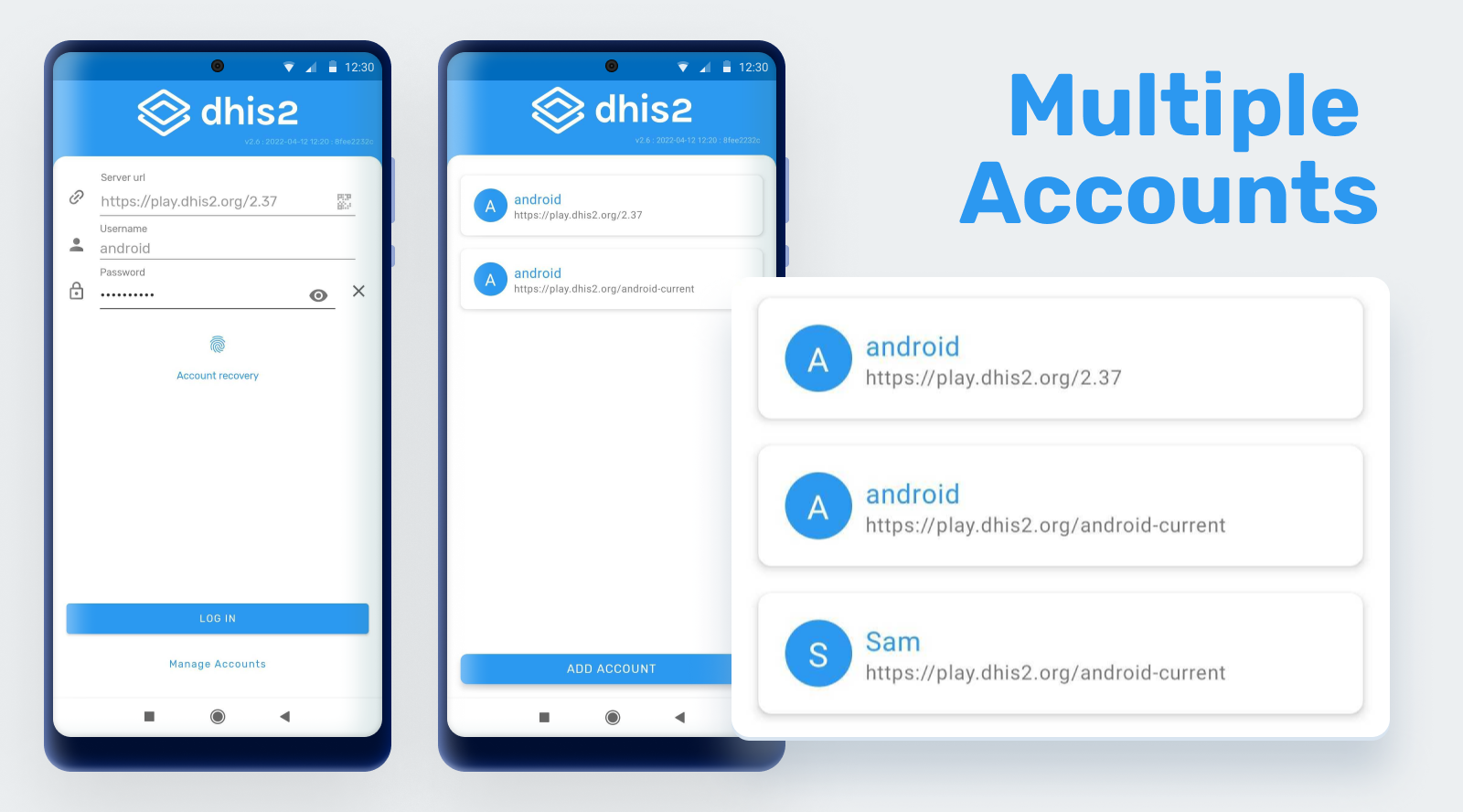
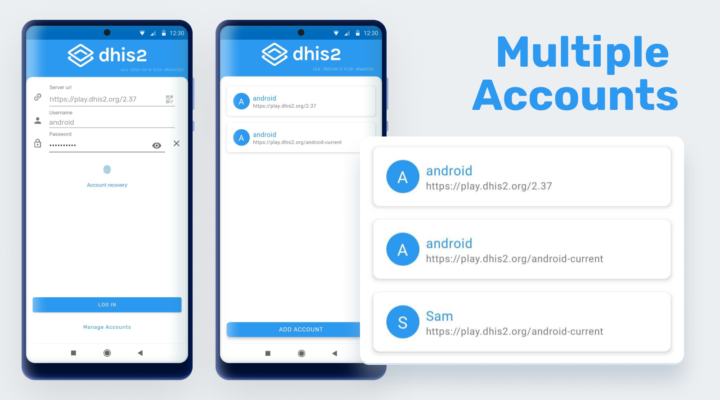
Support multiple users offline
The Android app can now work with up to 3 different users while being offline. The users will need to have access to the internet for the first login of each account and will be able to switch accounts after without requiring access to the Internet. The users will be able to manage the user accounts and delete accounts if needed. When the maximum number of accounts is reached, it will be necessary to delete one of the existing accounts to log in to a new one.
Jira | Video | Screenshot | Screenshot 2 | Documentation
Configuration troubleshooting
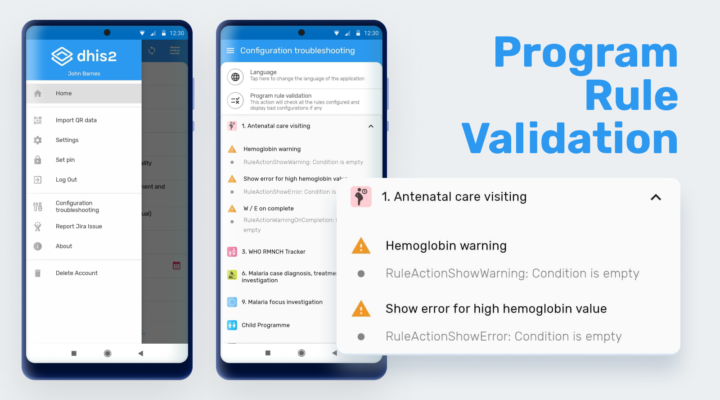
This feature is for administrators. The Android App incorporates an option in the settings screen for verifying some aspects of the DHIS2 configuration.
- Language: the user will be able to change the language of the application user interface to identify labels, buttons or prompts with errors or without translation.
- Program rule validation: this validator will check the program rules in the device and display configuration inconsistencies.
Jira | Video | Screenshot | Screenshot 2 | Documentation
Offline Analytics
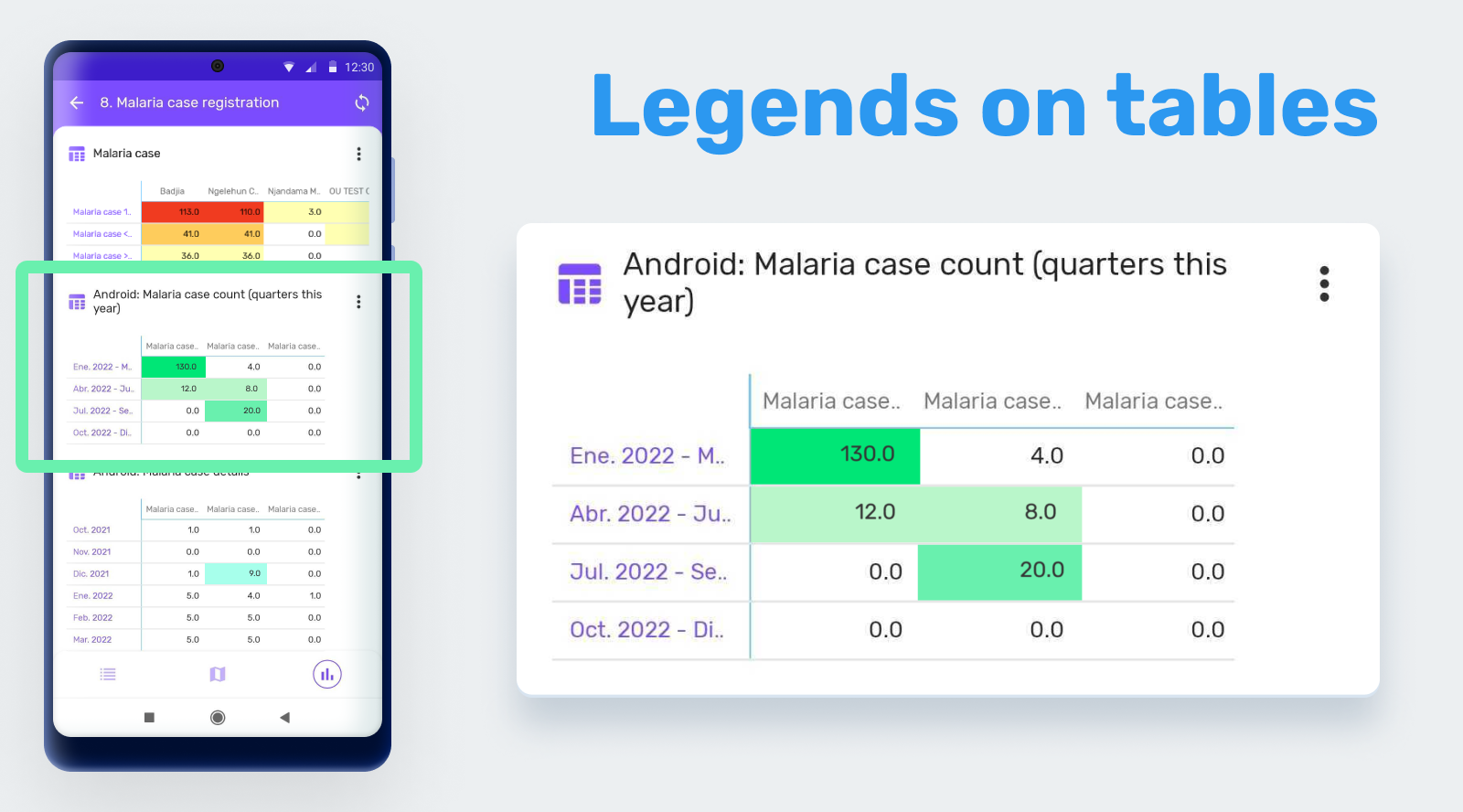
Support legends for tables in analytics
Legends are displayed in pivot tables by enabling the feature “Use legends for chart color” in the Data Visualizer App. The Android app will color the cells using either the pre-defined legend per data item or a single legend for the entire pivot table, depending on the settings in Web.
Jira | Video | Screenshot | Documentation
Tracker
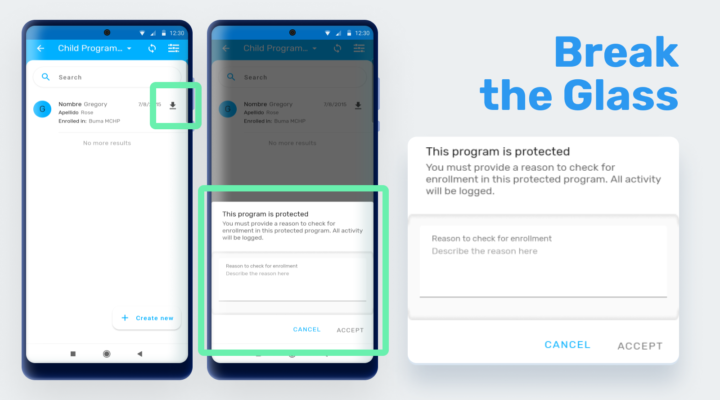
Break the glass
If the program is configured with an access level of “Protected” and a search is done outside the user scope, a dialog requesting a reason for access will be displayed for the user to temporarily override the ownership privilege of the program. This means the user will gain access to the program-related data.
Jira | Video | Screenshot | Documentation
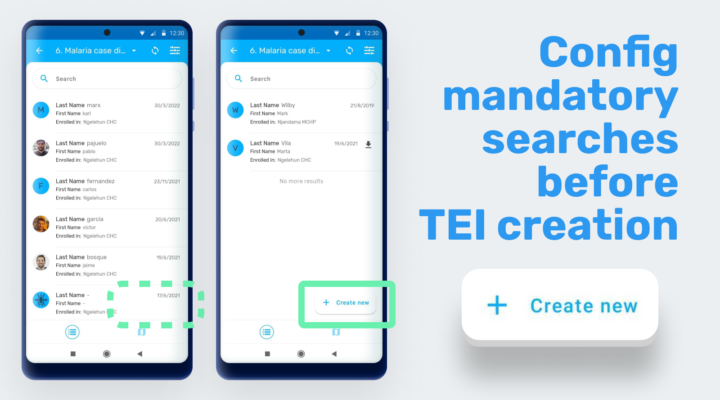
Make mandatory TEI search configurable
Searching TEIs before creating is not mandatory now. Using the Android Settings App (v2.2.0) it is possible to configure the user flow for creating TEIs. If the feature is enabled, the Android App will display a “create new” button after opening a program and a search will be optional.
Jira | Video | Screenshot | Documentation
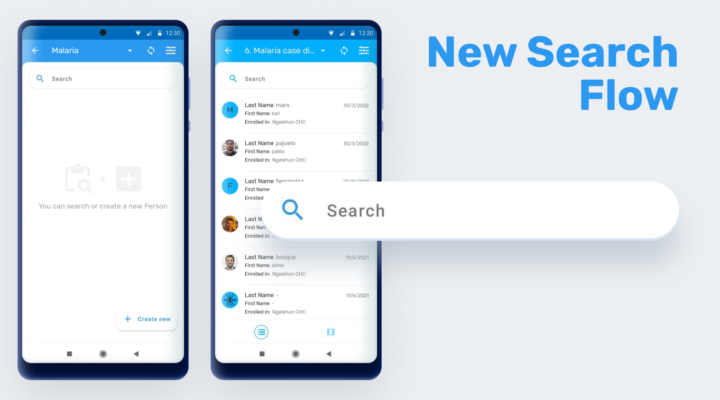
Separate offline / online search flows
To improve the response time in the search results, the Android App now searches offline first and displays the results while making an online search as a second step, transparent to the user. Searching outside the program is offered as a second step when the attributes used in the search contain at least one Tracked Entity Type (TET) attribute
Jira | Video | Screenshot | Documentation
Data Entry & Sync
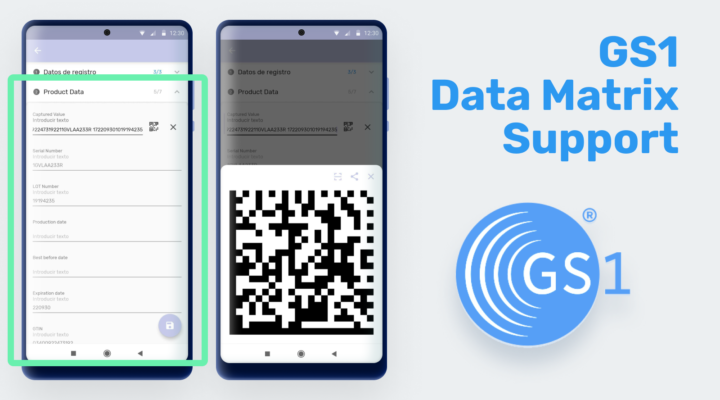
Scan and display GS1 Data matrix QR codes
If an attribute or data element rendering type is configured as QR code, the Android App will be able to read and process the string as GS1 Data Matrix codes. Combined with the use of d2 functions in program rules, the different fields of a GS1 code can be saved into different data elements or attributes (d2:extractDataMatrixValue(key, dataMatrixText)).
Jira | Video | Screenshot | Documentation
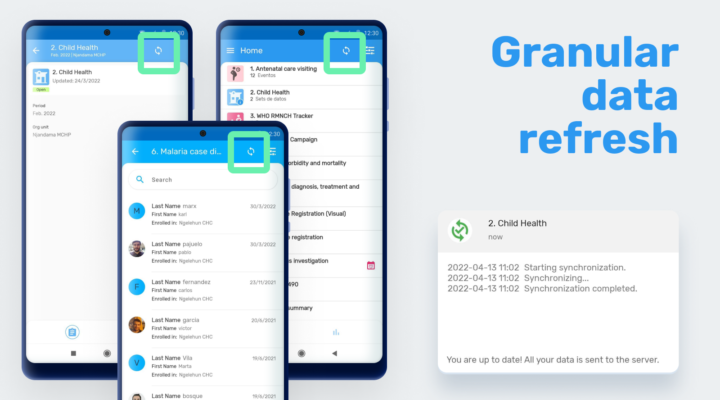
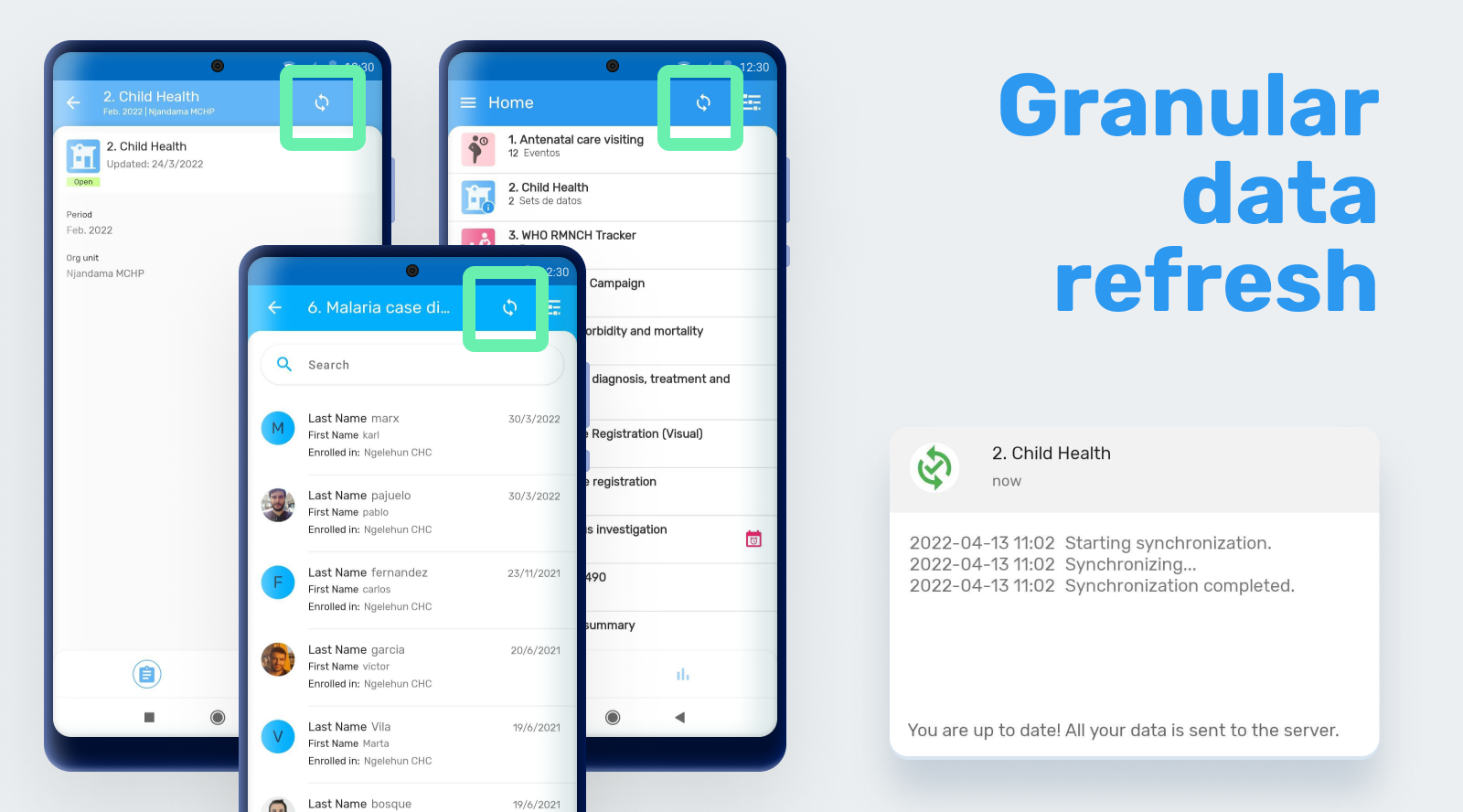
Allow the user to "refresh data" to get last updated data from server
Users can now retrieve the latest data from the server before entering new data. A refresh button is now located to trigger a granular synchronization in the following screens:
- Home
- Search
- TEI dashboard
- Event program listing
- Event details
- Data set listing
- Data set details
Jira | Video | Screenshot | Documentation
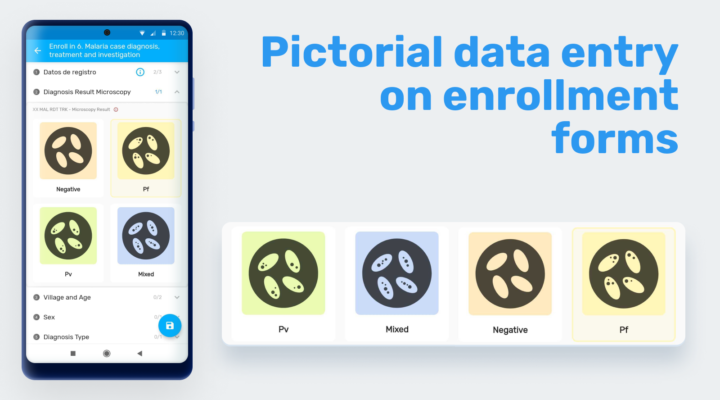
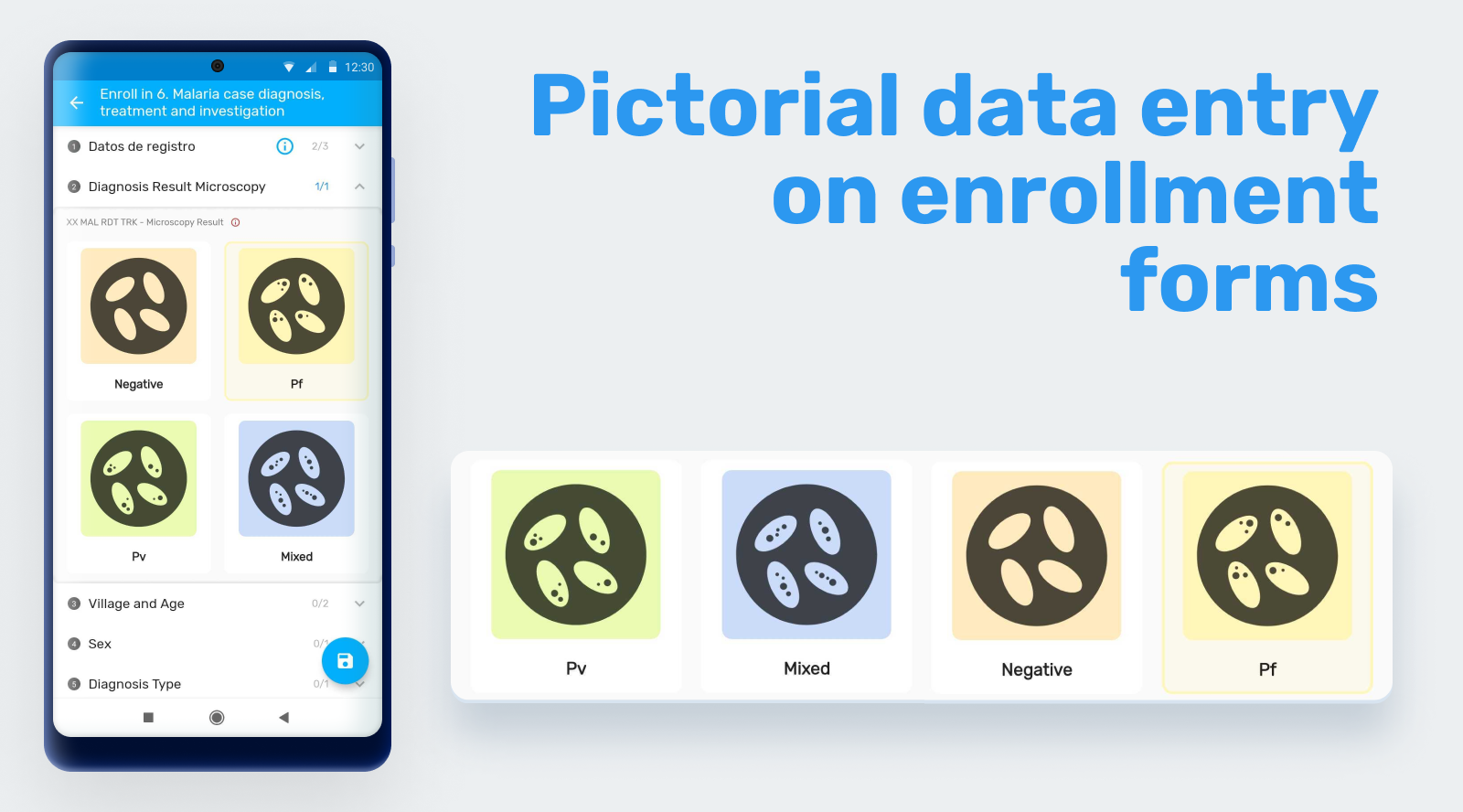
Render Icons in enrollment forms
Icon-based data entry can now be used in enrollment forms. When an enrollment section contains one or more Tracked Entity Attributes with option sets and icons assigned, the app is able to display them as a matrix or sequence based on the section rendering type. In previous sections of the App this feature was only available for Data elements.
Jira | Video | Screenshot | Documentation
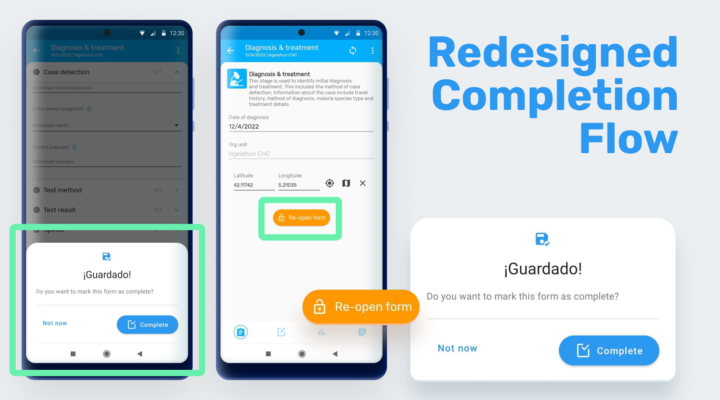
Improve Save and Complete flow in events
New dialog boxes are displayed when saving an enrollment or event. The ‘Re-open’ button is now located in the details screen and it will be available only if the user has the correct authority (‘Uncomplete events’) to reopen a completed event. The “completion” concept and dialog is now more intuitive and user friendly.
Jira | Video | Screenshot | Documentation
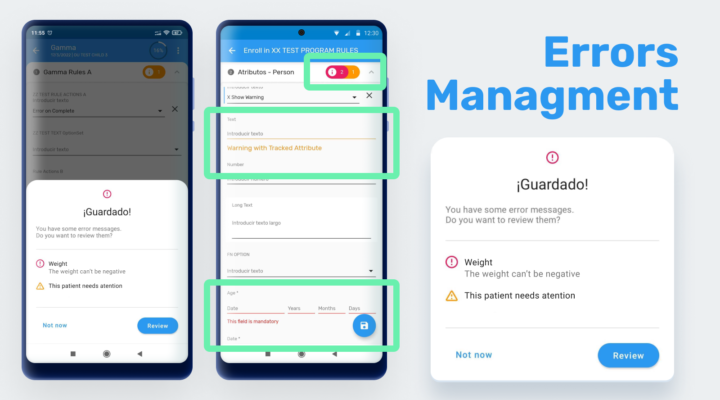
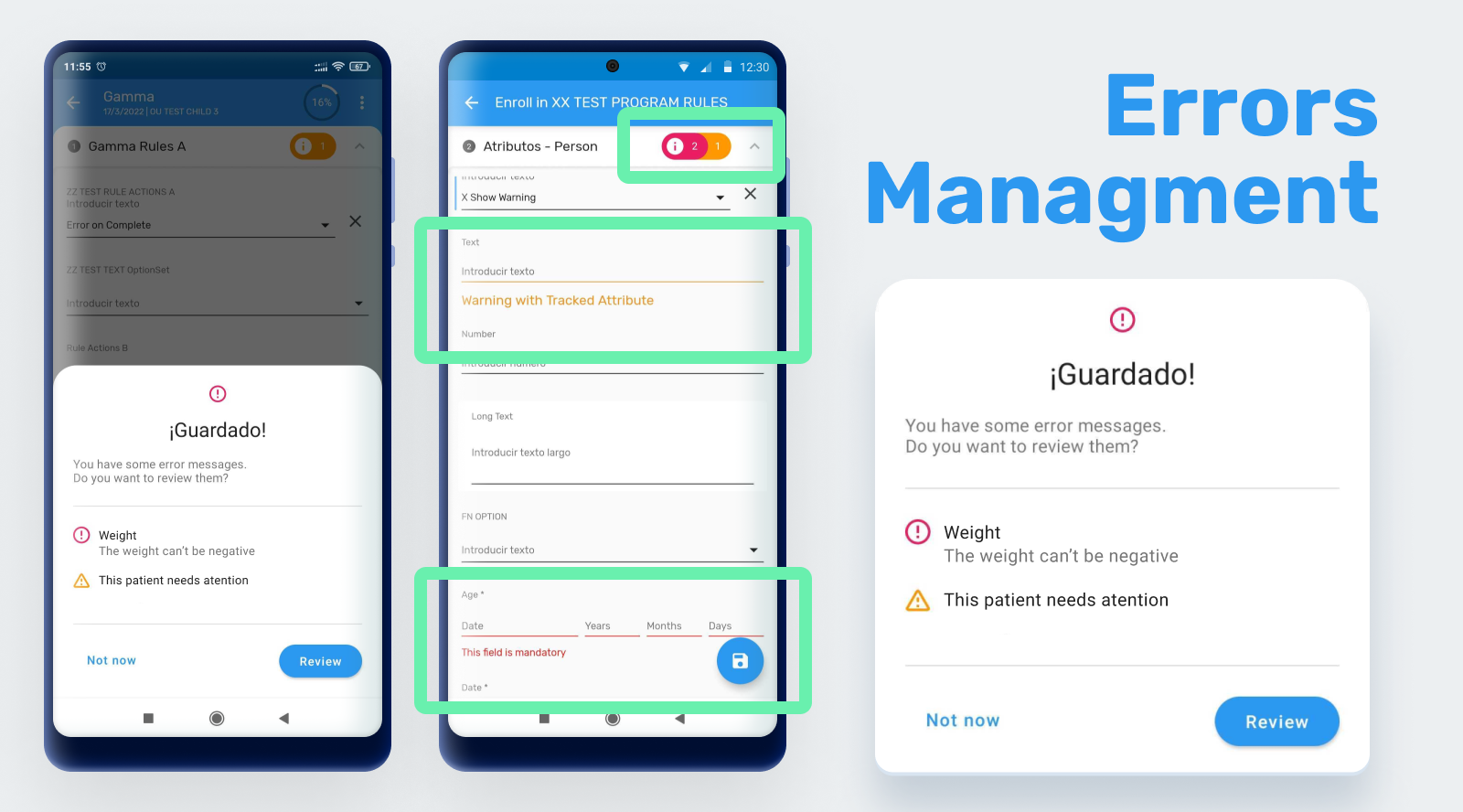
New design for warnings / errors and completion dialogs
Error and warning messages have been improved to provide the user more and better information. The new dialogues when saving allow the user to discard changes, save and correct later or keep editing the form to correct the values depending on the configuration.
Jira | Video | Screenshot | Documentation
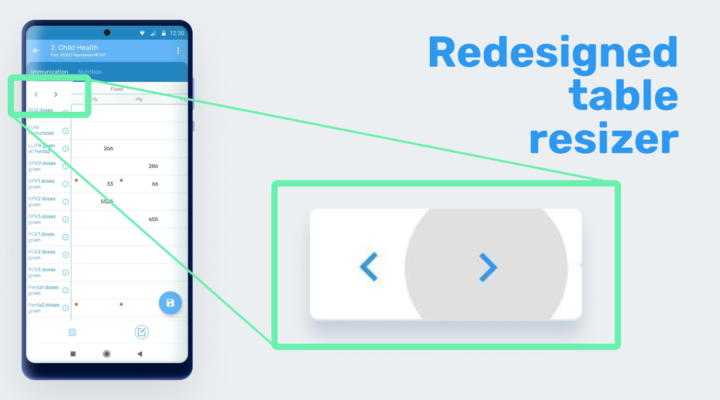
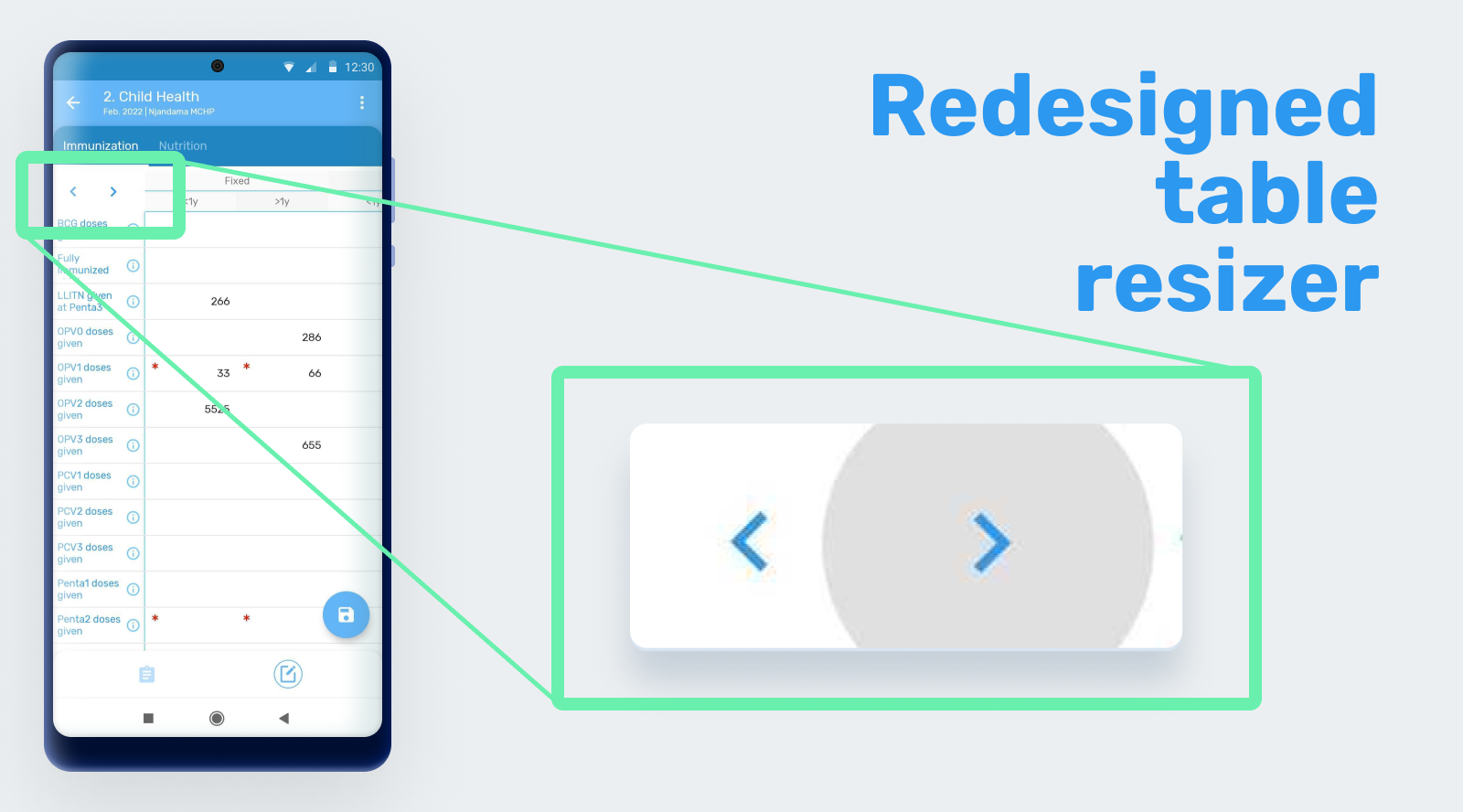
Improve design fo datasets columns span
The redimensioning arrows are now fixed at the upper-left corner of the screen.
Jira | Video | Screenshot | Documentation
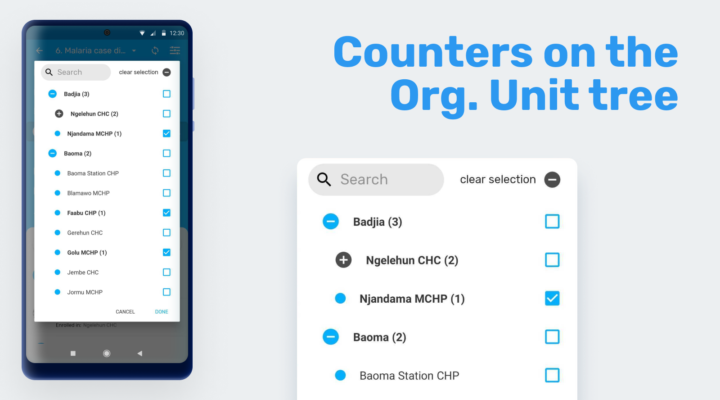
Show hint of OU selected when opening the OU hierarchy
If an organisation unit is selected, when the hierarchy is displayed all the ascending (parent) OUs will be in bold to help the user navigate the previous selection.
Jira | Video | Screenshot | Documentation
Improve prevention of duplicating unique identifiers
When searching by unique attributes and then creating a new enrollment, if the search returns a result, the app will not persist the values of the unique attributes into the enrollment form.
Jira | Documentation
Hide save button if form is not editable
If an event is expired or has ‘view only’ rights, the ‘save’ button will be hidden.
Jira | Video | Documentation
Align events navigation bottom bar
The details tab in the event navigation bar has been improved to provide a better user experience.
Jira | Video | Documentation
Improve "Yes Only" data element design
The label ‘Yes’ next to the checkbox or radio button has been removed.
Jira | Documentation
Maintenance
Quality / Security / Performance
You can find a list of issues related to quality, security and performance opening this jira filter.
Bug-fixing
You can find a list of the bugs fixed in this version by opening this jira filter.
DHIS2 Core Compatibility
Android Capture App version 2.6 is fully compatible with DHIS2 version 2.38 and backward to version 2.30.
Release Info & Demo
Click on the links in the table below for more information about this software release and to access an interactive demo. You can also add comments or ask questions about this release on the DHIS2 Community of Practice.
| To find more details about... | Follow this link |
|---|---|
| Download app from Google Play or Github | Downloads |
| Documentation | Documentation |
| Details about each feature on JIRA (requires login) | Details on JIRA |
| Overview of bugs fixed on JIRA (requires login) | Overview on JIRA |
| Demo instance (user / password) | Demos (android / Android123) |
| DHIS2 community | DHIS2 Community of Practice |
| App Source code on Github | DHIS2 Android source code |
| SDK Source Code on Github | Android SDK source code |