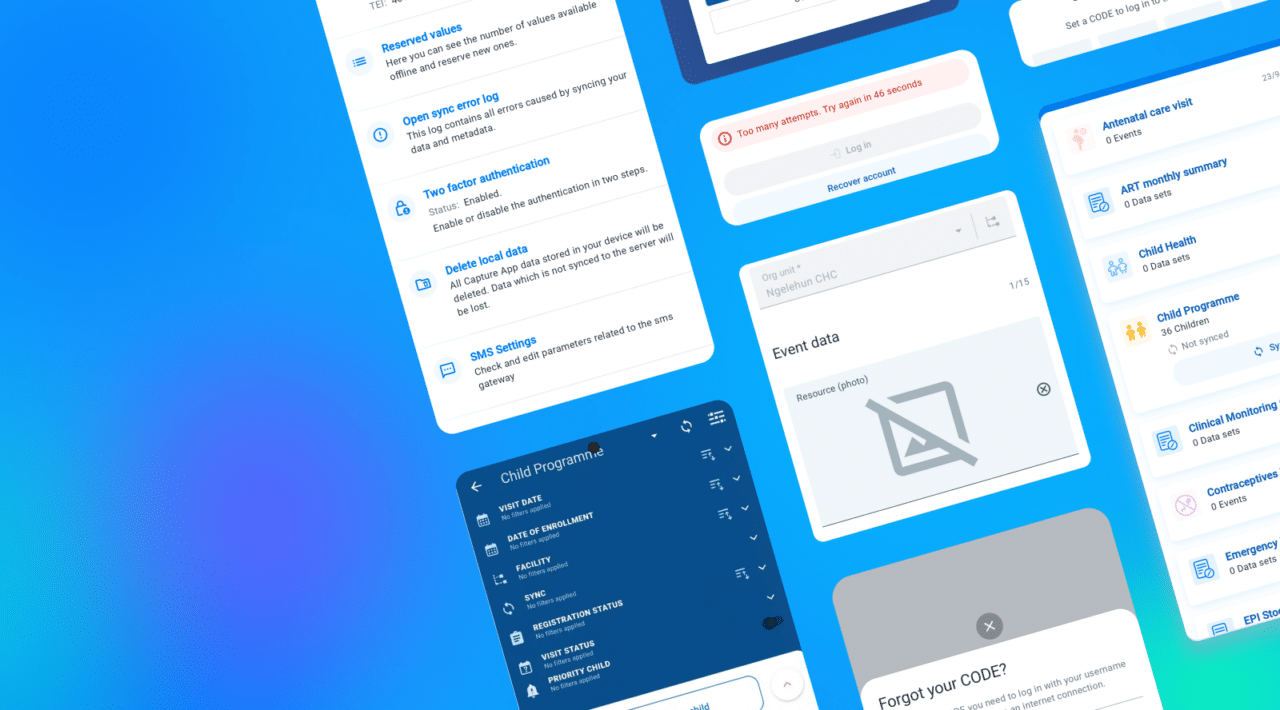
Android Capture App v3.5
Explore the new features and improvements in version 3.5 of the DHIS2 Android Capture mobile app


Explore the new features and improvements in version 3.5 of the DHIS2 Android Capture mobile app
Here are some of the highlights included in Android Capture v3.5:
This version of the Android Capture app is fully compatible with DHIS2 v43 and previous DHIS2 versions. OAuth login and two-factor authentication require DHIS2 v43 or later, with OAuth enabled on the server.
Browse the full list of new features below. You can also read the release announcement on the DHIS2 Community of Practice for more details and share comments and questions with us.
Version 3.5 adds OAuth login, more terms that administrators can customize, and more control over picture quality. The app also shows program indicators split by category.
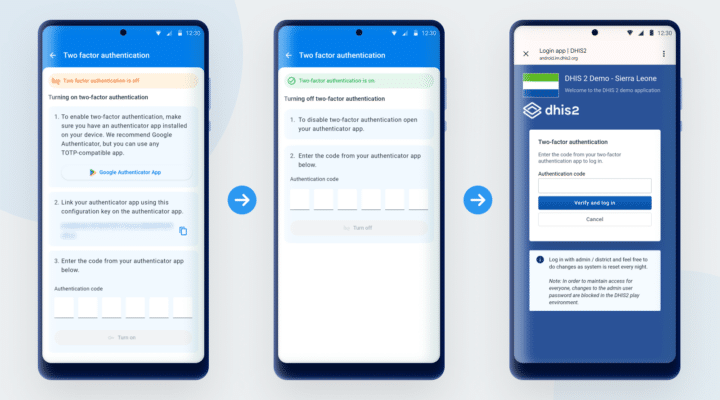
Users can log in with OAuth on the login page of the server, and use an authenticator app for two-factor authentication. Users with an OAuth or OpenID Connect account create a 4-digit offline code, so that they can log in without a connection.
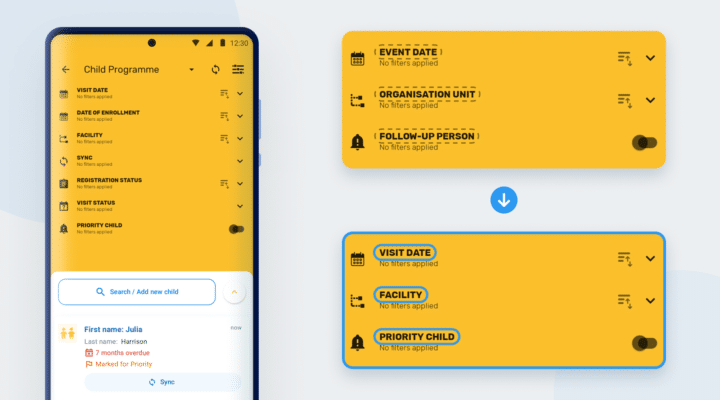
Administrators can customize more of the terminology that the app uses in a Tracker program, such as program stage, follow-up, relationship, and organisation unit. The app shows these terms in filters, lists, menus, and messages.
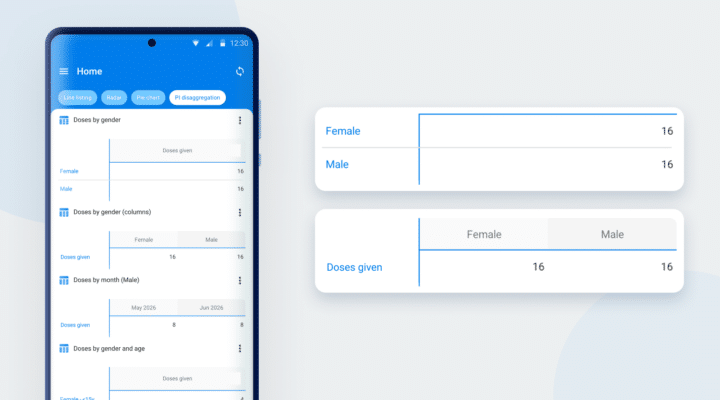
In DHIS2 v42 and later, the app shows program indicators split by category, for example by age group. Administrators do not need to configure anything in the app.
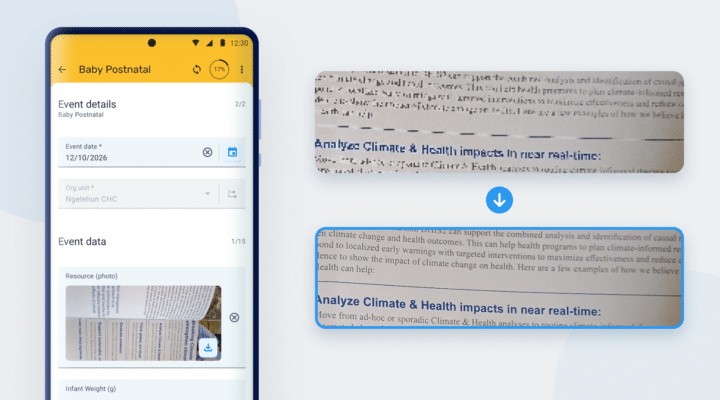
In the Android Settings Web App, administrators can choose the image fields whose pictures the app sends in their original quality. If the app did not download a picture, the field will show an image icon with a line across it.
This release makes the organisation unit selector clearer.
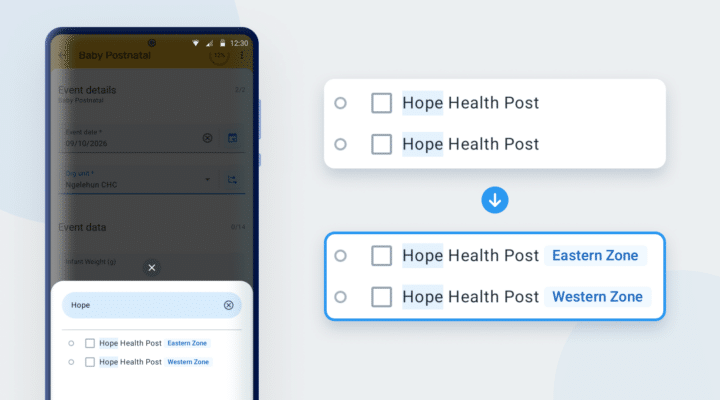
If organisation units have the same name and the list does not show their parent, the selector adds a tag next to each of them. The tag shows the name of a higher organisation unit.
Version 3.5 continues the technical work on the SDK that the app uses.
The SDK continues to move from Java models to Kotlin data classes, and to remove its Android dependencies. This is some ground-laying work to prepare for a future migration to a multiplatform SDK. These changes are transparent for the user.
See the list of fixed bugs in Jira.
Click on the links in the table below for more information about this software release and to access an interactive demo. You can also add comments or ask questions about this release on the DHIS2 Community of Practice.
| To find more details about... | Follow this link |
|---|---|
| Download app from Google Play or Github | Google Play Github |
| Documentation | Documentation |
| Full list of features and bugs | Jira |
| Demo instance (user / password) | Demos (android / Android123) |
| DHIS2 community | DHIS2 Community of Practice |
| App Source code on Github | DHIS2 Android source code |
| SDK Source Code on Github | Android SDK source code |